Imagine a home bakery receiving an order for 12 cupcakes for Friday, with an agreed total of $36. This is an illustrative workflow using documented features, not a customer case study or a measured time-saving claim.
1. Capture the order
Add the customer details, Friday delivery date, and $36 amount. Attach a reference photo or PDF if needed. Record the order source so it can be found later without searching a message thread.
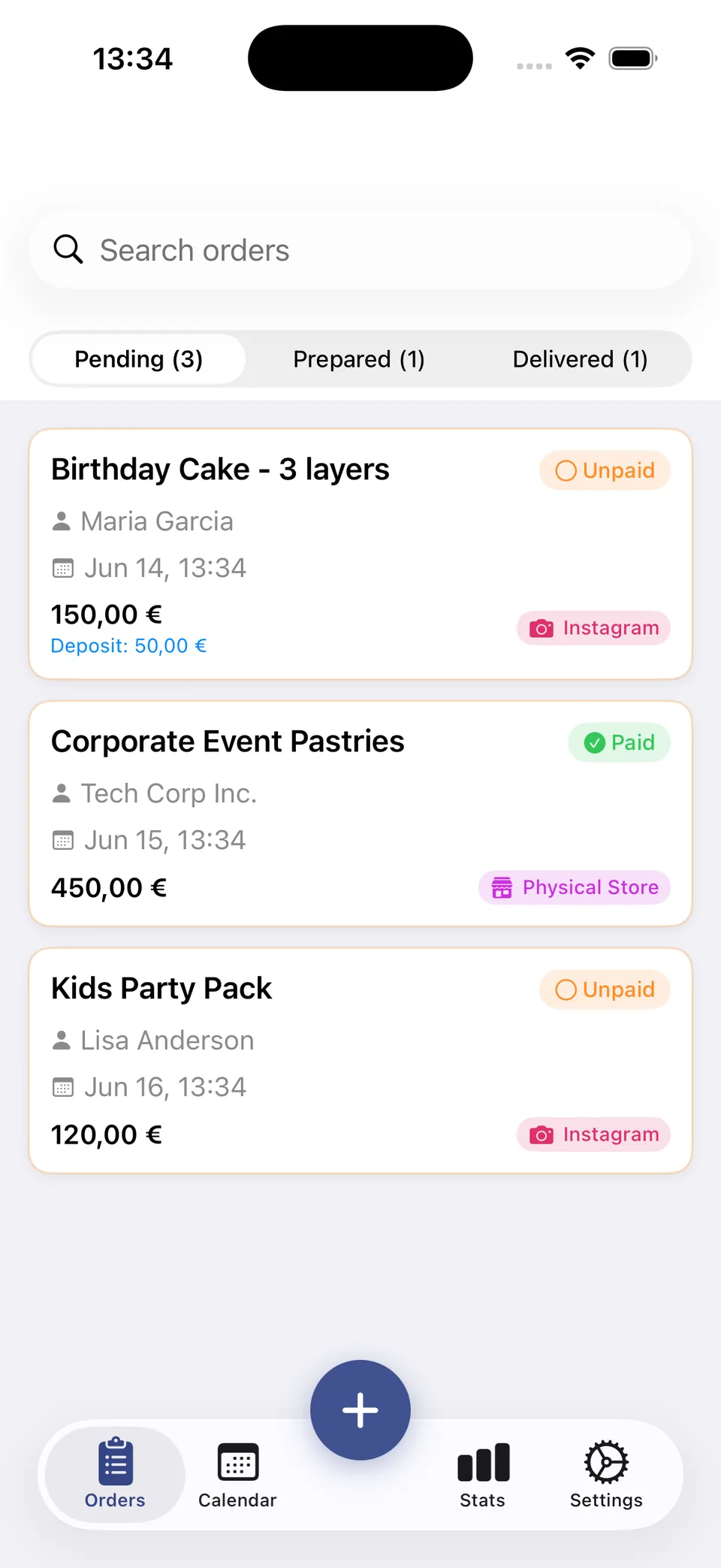
2. Track preparation and delivery
Keep the order Pending while scheduled. Move it to Prepared when ready and Delivered after handover. Use the calendar to check Friday’s workload. Payment status is a record you maintain; verify the actual payment separately.
3. Export and share deliberately
You can export all your order data as a CSV file at any time from the app's Settings. This gives you full ownership and portability of your data.
Sync and invitations use your Apple ID and private iCloud. Internet access is needed to synchronise and share changes.
What to check before choosing the app
Orders and payment status are recorded manually. Team collaboration requires iCloud; confirm actual payments separately.
Prices shown are USD reference prices for the app or its optional unlock. Local prices and purchase terms are displayed by Apple.